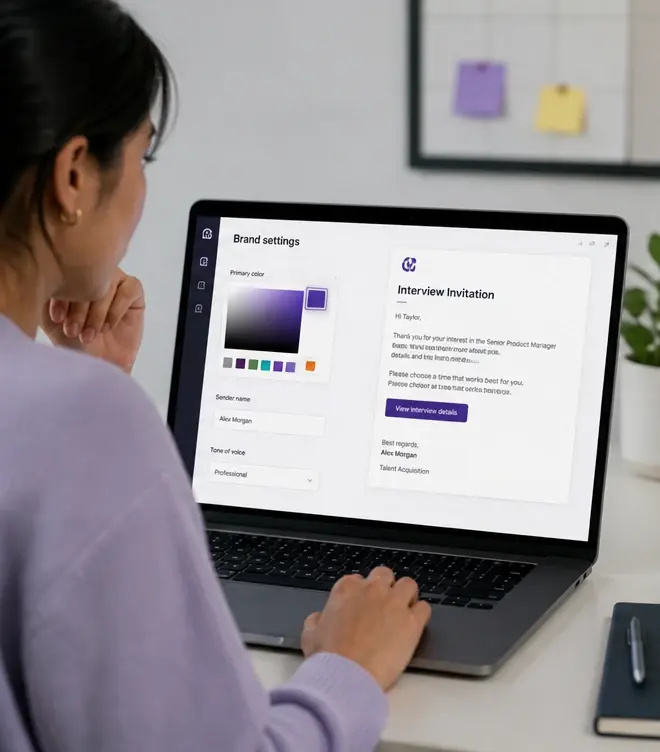
Branded Candidate Communication — Polished Emails at Every Touchpoint, explained.
Branded Communication gives recruiting teams control over how every candidate-facing message looks and feels. Interview invitations, reminder emails, follow-up messages, and outreach sequences can all be customized with your company logo, colors, brand voice, and sender identity. Instead of candidates receiving generic 'You've been invited to an interview' emails that could be from any platform, they get polished, branded messages that reinforce your employer brand and build trust in the process. For companies that care about candidate experience — and the employer brand implications of a disjointed, impersonal screening process — branded communication is essential infrastructure.
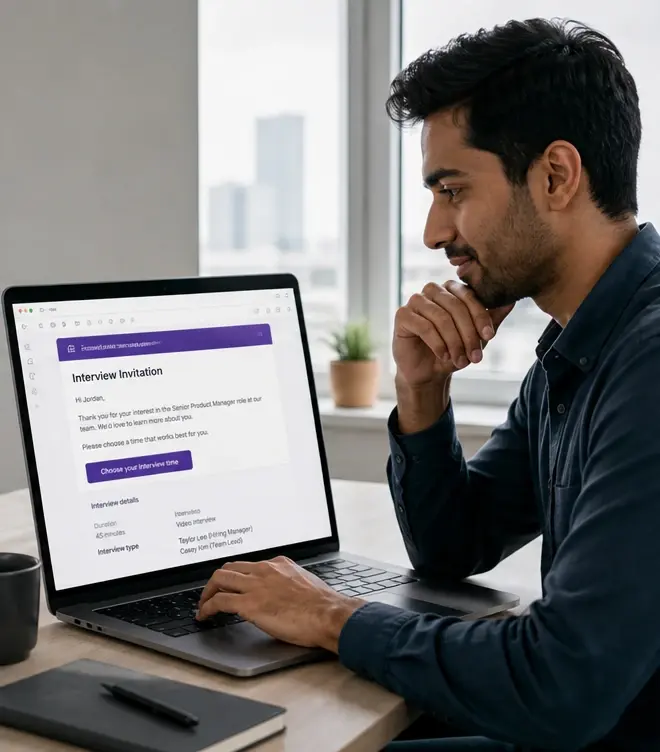
Customize email templates with your logo, colors, and brand voice
Branded Communication gives recruiting teams control over how every candidate-facing message looks and feels. Interview invitations, reminder emails, follow-up messages, and outreach sequences can all be customized with your company logo, colors, brand voice, and sender identity. Instead of candidates receiving generic 'You've been invited to an interview' emails that could be from any platform, they get polished, branded messages that reinforce your employer brand and build trust in the process. For companies that care about candidate experience — and the employer brand implications of a disjointed, impersonal screening process — branded communication is essential infrastructure.
- Keep the candidate experience consistent from first touch to hire
Use your company domain as the sender — not a generic platform address
Every candidate email — interview invites, reminders, follow-ups — should feel like it came from your company, not a generic SaaS platform. Branded communication keeps your employer brand consistent at every screening touchpoint.
- Strengthen employer brand perception during the screening process
Generic platform emails undermine your employer brand
Candidates form impressions about your company at every touchpoint — including automated screening emails. When an interview invitation arrives from a generic noreply@platform.com address with default styling and impersonal copy, it signals that your hiring process is outsourced and transactional. For top candidates who have options, that signal can be the difference between completing the interview and ghosting.
Branded Communication changes the candidate's experience of your screening process. Interview invitations look like they came from your recruiting team. Reminder emails match your brand palette. The sender address is your domain. The copy sounds like your company. None of this changes the underlying automation — it just wraps it in a candidate experience that reinforces, rather than undermines, why someone should want to work with you.
What you can brand and customize
Email templates and styling
Upload your logo, set brand colors, and customize email layouts. Templates carry your visual identity across interview invites, reminders, and follow-up messages.
Sender identity and domain
Send from your company domain (e.g., careers@yourcompany.com) instead of a platform address. Candidates see a familiar sender, improving open rates and trust.
Brand voice and messaging
Write email copy that matches your company's tone — formal, casual, mission-driven, technical — rather than settling for generic platform defaults.
Multi-template management
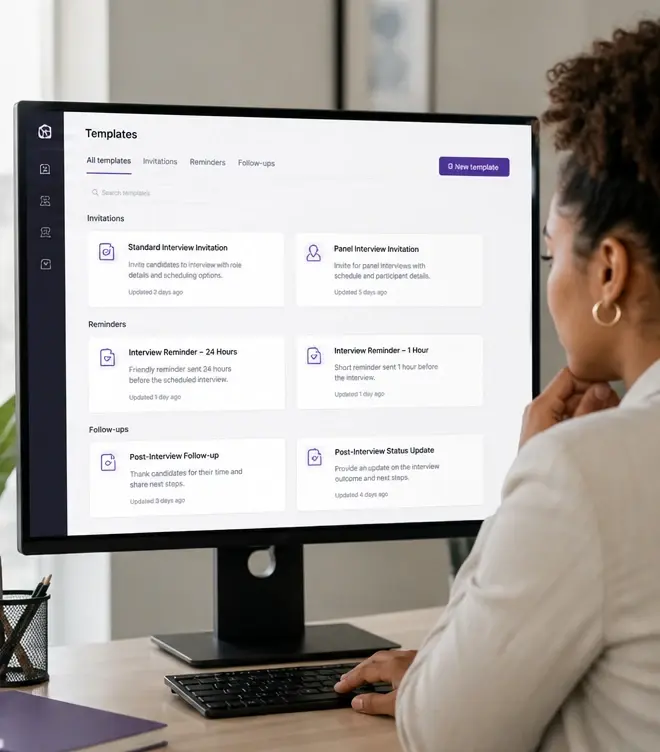
Create different templates for different contexts: executive hiring vs. campus recruiting, US vs. APAC, technical vs. commercial roles.
Why branded communication matters for hiring outcomes
Candidate experience isn't a nice-to-have — it directly affects your ability to hire. Candidates who have a poor experience are less likely to complete interviews, accept offers, refer others, or apply again in the future.
- Improve interview completion rates: branded, trusted communications get opened and acted on more than generic platform emails.
- Strengthen offer acceptance: candidates who experienced a polished process are more confident in your company's professionalism.
- Protect employer brand: a disjointed screening experience contradicts the culture you're selling in job descriptions and career pages.
- Support recruiting metrics: higher email open rates, click-through rates, and interview completion rates flow from trusted, recognizable communications.
- Differentiate from competitors: when every company uses similar screening tools, candidate experience becomes a competitive advantage.
Branded communication vs. generic platform emails
| Aspect | Generic platform emails | Branded Communication |
|---|---|---|
| Sender identity | noreply@interview-platform.com. Candidates may not recognize or trust the sender. | careers@yourcompany.com. Familiar, trusted, consistent with all other recruiting communications. |
| Visual branding | Default platform styling. Looks like every other company using the same tool. | Your logo, colors, and layout. Reinforces brand recognition and professionalism. |
| Copy and tone | Generic messaging. 'You have been invited to complete an interview.' | Your brand voice. 'We're excited to learn more about you — here's what to expect.' |
| Candidate trust | Lower. Generic emails feel automated. Candidates question whether it's legitimate. | Higher. Branded, domain-authenticated emails build confidence in the process. |
Recommended branded communication setup
Upload brand assets and configure sender identity
Add your logo, set brand colors, and configure your sending domain. Verify DNS settings for deliverability.
Create base email templates
Build templates for interview invitations, reminders, completion confirmations, and follow-up messages. Write copy in your brand voice.
Create role or campaign-specific variants
For key roles, regions, or campaigns, customize templates with relevant context, hiring manager names, or department-specific messaging.
Monitor engagement and iterate
Track open rates, click-through, and completion conversion by template. A/B test subject lines and copy to optimize performance.
How this was verified
Feature capabilities described here were verified against the live InterviewFlowAI product pages and the published pricing page in August 2026. Plan availability can change; the pricing page is the source of truth.
Frequently asked questions
What can actually be branded?
Email templates and styling including logo and brand colours, the sender identity and domain, the copy and tone, and separate template sets per role, region or campaign.
Can emails come from our own domain?
Yes, the page describes sending from a company address such as careers@yourcompany.com. Your IT team will need to complete the usual sending-domain authentication for deliverability.
Why does branding candidate email matter?
Because screening email is often a candidate's first direct contact with the employer. Generic platform email reads as impersonal at exactly the point you are asking for effort.
Can agencies manage multiple brands?
Yes. Multi-template management is designed for agencies running communications on behalf of several clients from one account.
Does branding affect deliverability?
Sending from your own domain can improve trust but requires correct authentication records. Get SPF, DKIM and DMARC right before a high-volume campaign.
Make your next hiring flow faster.
See how InterviewFlowAI can streamline screening for your team.