A phone screen should not feel like a compressed final interview. Its job is narrower: confirm that the candidate meets the baseline requirements, clarify what the resume cannot tell you, surface any practical deal-breakers, and decide whether another interview is worth everyone's time.
The problem is that many recruiter screens drift into one of two extremes. Either the recruiter works through a long list of generic questions, or the call becomes an unstructured conversation that is difficult to compare with the next candidate.
A better phone screen uses a small core set of questions for everyone, adds targeted follow-ups where necessary, and ends with a documented decision.
Below are 40 phone screen interview questions recruiters can use, plus a 20-minute script, scoring rubric, red flags, and guidance on what not to ask.
Key takeaways: Most recruiter phone screens need six to ten consistent questions rather than all 40, with neutral follow-ups and a documented scorecard. A focused 20-minute structure is usually enough to check relevant experience, motivation, practical alignment, and whether the candidate should advance.
If you need role-specific versions of these questions, InterviewFlowAI's pre-screening interview questions library covers dozens of roles and is a useful next step once you have the core script down.
What is a phone screen interview?
A phone screen is a short first-stage conversation, usually conducted by a recruiter or HR team, to determine whether a candidate should progress to a more detailed interview.
It normally focuses on:
Relevant experience
Baseline qualifications
Motivation
Communication
Compensation and availability
Work arrangements or other logistical requirements
Anything on the application that needs clarification
That makes a phone screen different from a full interview. A hiring-manager or panel interview should go deeper into competencies, technical ability, past behaviour, and job-specific evidence. The phone screen should protect that interview capacity rather than duplicate it.
Phone screen vs. phone interview
| Phone screen | Phone interview | |
|---|---|---|
| Who runs it | Usually run by a recruiter | Often run by a hiring manager |
| Stage | Early qualification stage | Deeper evaluation stage |
| Length | Typically 15-30 minutes | Often 30-60+ minutes |
| Focus | Checks baseline fit and logistics | Tests job-specific capability |
| Outcome | Designed to decide whether to advance | Helps make a hiring decision |
The terms are sometimes used interchangeably, but separating the two stages makes it easier to decide what belongs in each conversation.
10 phone screen questions recruiters should ask every candidate
You do not need all 40 questions in every call. For candidates applying to the same role, choose a consistent core set first. Add questions from the later sections only when they help resolve something specific.
1. Can you give me a brief overview of your recent experience and how it relates to this role?
This is more useful than asking candidates to recite their entire resume. Listen for a focused explanation of the work most relevant to the opening.
Follow-up: “Which part of that experience would help you contribute fastest here?”
2. What interested you about this particular role?
The goal is not to test whether the candidate memorized your About page. You are trying to understand what they believe they are applying for and whether that matches the actual opportunity. Listen for specific responsibilities, problems, or career goals connected to the role.
3. Which requirement in the job description best matches your experience?
This forces the conversation toward evidence rather than general confidence.
Follow-up: “Can you give me a recent example?”
4. Tell me about a recent piece of work that is relevant to this position.
Ask what the candidate personally did, not only what their team achieved. Listen for context, individual contribution, and a concrete result.
Follow-up: “What part did you own?”
5. What are you looking for in your next role?
This reveals more than simply asking why someone wants to leave. You may learn that the candidate wants management responsibility when the role is primarily individual contribution, or wants fully remote work when the position requires three days onsite. Neither preference is inherently a problem. Misalignment is.
6. Why are you considering a move now?
Avoid treating one particular answer as automatically good or bad. Use the question to understand the candidate's decision and whether this role addresses what they are looking for.
7. What compensation range are you targeting for your next role?
The objective is alignment, not negotiation. Where possible, share the approved range and ask whether it works for the candidate. Follow applicable local laws around salary and compensation questions.
8. If selected, when could you realistically start?
For some roles, availability is simply operational information. For urgent or seasonal hiring, it can materially affect whether the process should continue.
9. Are there any location, schedule, shift, or travel requirements we should clarify now?
Ask about the actual requirements of the job rather than the candidate's personal circumstances. For example: “This role requires two evening shifts each week. Would you be able to work that schedule?” is more useful than asking why someone may or may not be available.
10. Based on what we have discussed, is there anything about the role that gives you pause?
This question is often more informative than asking only whether the candidate is “still interested.” It gives the candidate permission to surface concerns about scope, compensation, location, or the hiring process before both sides invest more time.
30 additional phone screening questions
The remaining questions are a menu, not a script. Choose them based on what you still need to establish after reviewing the resume and application.
Background and experience questions
11. What did you spend most of your time doing in your current or most recent role?
Job titles can hide substantial differences in responsibility.
12. Which achievement from your recent work is most relevant to this role?
Look for a specific contribution and result.
13. What were you personally responsible for?
This is useful when a candidate has described mostly team-level outcomes.
14. What kind of projects, customers, or accounts have you worked with?
Adapt the wording to the role.
15. Which tools, systems, or platforms from this job have you used before?
Treat tools as evidence of exposure, not automatically as evidence of competence.
Role-fit and problem-solving questions
16. What part of this position would be most familiar to you?
17. Which part would require the biggest learning curve?
A strong candidate does not need to claim that every responsibility is already familiar.
18. Tell me about a problem you solved recently at work.
Ask one or two follow-ups: “What made it difficult?” “What did you decide to do?” “What happened afterward?”
19. Tell me about something you had to learn quickly.
Look for the learning process, not just the outcome.
20. Tell me about a process you improved.
This can reveal ownership and problem-solving without requiring an elaborate behavioural interview.
Communication and collaboration questions
21. How do you normally keep stakeholders updated on your work?
22. Tell me about a time you had to explain something complicated to someone without your expertise.
23. How do you handle a disagreement with a teammate or stakeholder?
24. Tell me about a time expectations were unclear. What did you do?
25. What kind of communication from a manager helps you do your best work?
Do not score candidates based on whether their preferred style matches the interviewer's personality. Use the answer to identify genuine operating mismatches.
Motivation questions
26. What would make your next role meaningfully better than your current one?
27. What type of work would you like to do more of?
28. What type of work would you like to do less of?
29. What matters most to you when comparing opportunities?
30. What would make you excited to stay in a role for the next few years?
Use motivation questions to understand alignment. Do not use them to reward candidates who sound artificially enthusiastic.
Logistics and process questions
31. What work arrangement are you looking for: onsite, hybrid, or remote?
Ask only when the arrangement is relevant to the vacancy.
32. Are you comfortable with the travel requirements described for this position?
33. Are you currently interviewing elsewhere, and is there a timeline we should be aware of?
The purpose is process planning, not judging the candidate for exploring other opportunities.
34. Are you legally authorized to work in the country where this role is based?
Use the wording approved for your jurisdiction.
35. Will you now or in the future require employment visa sponsorship?
For U.S. employers, DOJ guidance generally recognizes questions about work authorization and future sponsorship as appropriate, although employers should avoid unnecessary citizenship-status questions.
Candidate questions and close
36. What would you like to know about the role before deciding whether to continue?
37. What would you like to know about the team?
38. Is there anything in the job description you would like me to clarify?
39. Is there anything relevant to your application that we did not cover?
40. What questions do you have for me?
Leave real time for the answer. A phone screen is an evaluation for the candidate too.
A simple 20-minute recruiter phone screen script
A recruiter does not need 20 minutes of questions. A useful structure is:
| Time | What to cover |
|---|---|
| 0-2 min | Introduction, agenda, and role context |
| 2-5 min | Relevant background |
| 5-11 min | Two or three role-fit questions |
| 11-15 min | Motivation and practical requirements |
| 15-18 min | Candidate questions |
| 18-20 min | Process and next steps |
Opening
Give the candidate enough context to understand the conversation. For example:
“Thanks for taking the time. I want to spend about 20 minutes understanding the experience most relevant to the role, cover a few practical details, and leave some time for your questions. I'll also explain what the next stage looks like.”
That is usually enough. You do not need a five-minute company presentation before you know whether there is basic alignment.
Use follow-up questions, not more questions
A long question list can create the appearance of structure without producing much evidence. When an answer is vague, probe it. Useful neutral follow-ups include:
What was your responsibility?
Can you give me an example?
What did you do next?
How did you measure that?
What changed as a result?
How large was the team, account, or project?
One strong question followed by two relevant probes often tells you more than three unrelated questions.
How to score a phone screen
Decide the criteria before the first candidate takes the call. The U.S. EEOC recommends standardizing interview questions as much as possible as part of reducing subjectivity in selection. A simple phone-screen scorecard might look like this:
| Criteria | 1 | 3 | 5 |
|---|---|---|---|
| Relevant experience | Little evidence of minimum requirement | Some relevant experience | Clear evidence at required level |
| Role understanding | Major mismatch | General understanding | Clear alignment with actual scope |
| Evidence quality | Vague or unsupported | Some specific examples | Specific examples with clear contribution |
| Motivation | Expectations conflict with role | Neutral or unclear | Reasons align with opportunity |
| Logistics | Material mismatch | Issue requires clarification | Requirements align |
Do not use “5 = I liked them.” Define what each score means before interviewing. Score the candidate immediately after the screen, before discussing them with other interviewers.
You can also review InterviewFlowAI's scorecards and transcripts to see how structured interview evidence can be organized for review.
Green flags to listen for
A good phone screen is not about finding candidates who speak the most confidently. Better signals include specificity.
The candidate can explain what they owned, give a relevant example, distinguish their contribution from the team's contribution, describe what they learned, and ask informed questions about the actual role.
Another useful signal is calibration. Strong candidates are often comfortable saying that one requirement is new to them while explaining why adjacent experience should transfer.
Phone screen red flags
Treat a red flag as something to investigate, not an automatic rejection rule.
| Signal | What to clarify |
|---|---|
| Candidate cannot explain work listed on the resume | Ask what they personally owned |
| Answers stay generic after several probes | Ask for one specific recent example |
| Expectations conflict with the actual role | Explain the role clearly and reconfirm interest |
| Compensation is far outside the approved range | Check whether there is any overlap |
| Availability conflicts with a required schedule | Confirm whether the requirement is fixed |
| Major dates or responsibilities do not match the application | Ask the candidate to clarify |
Avoid using vague judgments such as “culture fit,” “energy,” or “I just didn't get a good feeling.” If you cannot explain the rejection using job-related evidence, the screening criteria probably need work.
Phone screen questions recruiters should avoid
Keep questions tied to the job. In the U.S., EEOC guidance warns against non-job-related pre-employment questions about areas including marital status, children, pregnancy, and disability. Employers generally cannot ask disability-related or medical questions before making a conditional offer, although they can ask whether a candidate can perform specific job functions.
Instead of: “Do you have children?” ask: “This position requires Saturday coverage twice a month. Are you able to meet that requirement?”
Instead of: “Do you have any health conditions that would make this job difficult?” ask: “This role requires [specific essential job function]. Are you able to perform that function?”
Requirements differ by country, state, and local jurisdiction, so employers should have their screening script reviewed against the rules that apply to them.
Common phone screening mistakes
Asking every candidate different questions: Follow-ups can vary. The underlying criteria should not. If one candidate receives five easy questions and another gets an improvised technical interview, the resulting scores are not comparable.
Repeating the resume: The recruiter already has the resume. Use the call to verify or expand on information that matters to the decision.
Doing a full interview too early: If the phone screen regularly takes 45 minutes, reconsider what you are trying to accomplish. Move deeper competency evaluation into a structured interview stage.
Scoring “communication” too broadly: Communication requirements should reflect the job. A customer-facing sales role may require a different communication standard from a back-office analyst role. An accent, personality style, or level of small talk is not itself evidence of job performance.
Waiting too long to document the decision: Write the evidence down while the conversation is fresh. “Advance because [job-related evidence]” is more useful to a hiring manager than “seemed good.”
When manual phone screening stops scaling
Live recruiter calls make sense when the volume is manageable, and the conversation itself benefits from recruiter involvement.
They become harder to justify when recruiters are repeatedly asking the same first-round questions across dozens or hundreds of applicants. Common warning signs are:
Candidates wait several days for an available slot.
Recruiters spend more time scheduling than evaluating.
Different recruiters use different questions or standards.
Screening volume rises faster than recruiter capacity.
Hiring managers receive inconsistent notes.
Qualified candidates are reviewed simply in the order recruiters managed to call them.
At that point, the team can keep the same structured questions but change how the first round is delivered.
InterviewFlowAI's AI Phone Interviews can conduct structured screening conversations without requiring recruiter scheduling and produce transcripts and scored interview evidence for review.
The goal should not be to automate every human interaction. It should be to use recruiter time where human judgment or candidate engagement adds the most value.
Phone screen checklist for recruiters
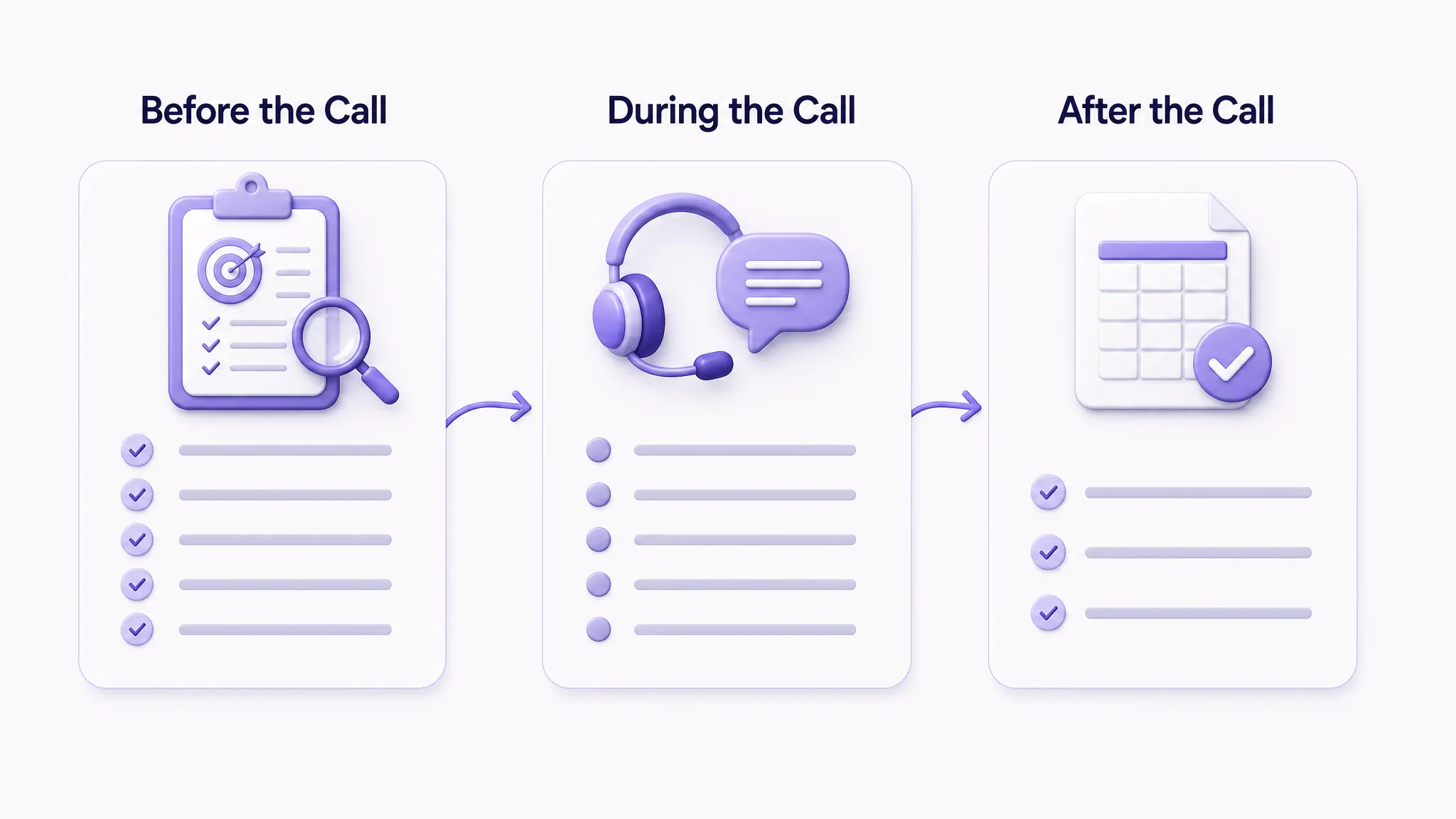
Before the call, know:
The three or four minimum requirements
The approved compensation range
Location, schedule, and travel requirements
Which questions every candidate will receive
What evidence qualifies someone to advance
Which questions need clarification from the resume
During the call:
Explain the agenda.
Ask the same core questions.
Use neutral follow-ups.
Take evidence-based notes.
Leave time for candidate questions.
Explain the next step.
After the call:
Complete the scorecard immediately.
Record the reason to advance, reject, or clarify.
Avoid discussing candidates with other interviewers before submitting your independent evaluation.
FAQ
How many questions should recruiters ask in a phone screen?
Most recruiters do not need all 40 questions in this guide. A good starting point is six to ten questions, including a consistent core set and a few role-specific follow-ups. The objective is to collect enough evidence to make the next-stage decision, not to cover every possible interview topic.
How long should a phone screen interview be?
A recruiter phone screen commonly takes around 15 to 30 minutes. Indeed describes phone screening calls as typically falling within that range. For many roles, 20 minutes is enough when the questions and criteria are defined in advance.
What is the purpose of a recruiter phone screen?
The purpose is to decide whether the candidate has enough relevant evidence and practical alignment to justify moving into the next stage. It is not normally the stage for making the final hiring decision.
What should recruiters look for during a phone screen?
Look for job-related evidence: relevant experience, clear examples, realistic understanding of the role, motivation, and alignment with practical requirements. Avoid relying on vague impressions such as charisma or “culture fit.”
Should recruiters ask about salary during a phone screen?
Compensation alignment is often useful to establish early. Where possible, tell candidates the approved range and ask whether it aligns with their expectations. Salary-history and pay-transparency laws vary by location, so employers should use wording that complies with the jurisdictions where they hire.
What are red flags during a phone screen?
Useful red flags are evidence-based: significant inconsistencies, inability to explain claimed work, a major mismatch with required working conditions, or answers that remain vague after reasonable probing. A candidate being nervous, introverted, or less polished at small talk should not automatically be treated as a red flag.
What is the difference between a phone screen and a phone interview?
A phone screen is usually a short qualification stage run by recruiting or HR. A phone interview is often a deeper conversation with a hiring manager or subject-matter expert and may assess competencies in much more detail.
Can phone screening be automated?
Yes, particularly when the same structured first-round questions need to be asked across a high number of candidates. Automation is most useful for repeatable screening and evidence collection. Recruiters and hiring managers should still define the criteria, review the evidence, and own the hiring decision.