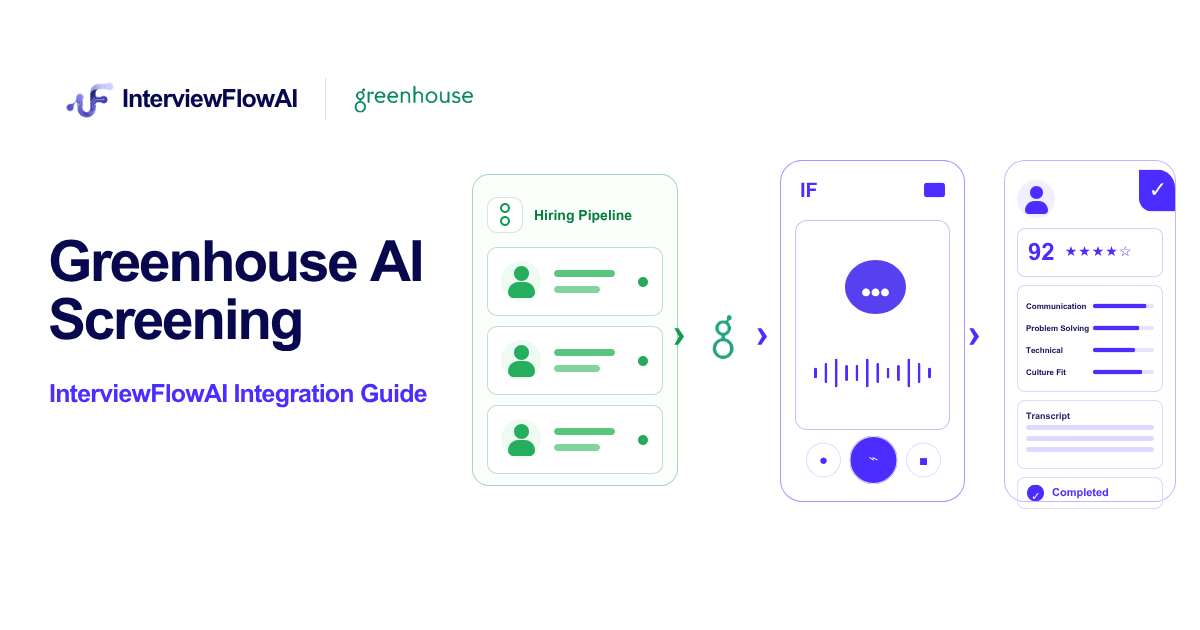
A candidate enters your Screening stage in Teamtailor. A few minutes later, they receive an invitation to complete a structured AI interview. When they finish, your hiring team can see the interview status, score, recommendation, and report link on the candidate card.
That is the InterviewFlowAI and Teamtailor workflow in practice. Recruiters do not have to export candidate lists, create interviews one by one, or paste results back into the ATS. Teamtailor controls when the screening starts, InterviewFlowAI conducts the interview, and the result returns to the record your team already uses.
The integration is useful when first-round calls are slowing down hiring. It adds conversational phone and video interviews without creating another disconnected workflow.
Does Teamtailor have AI candidate screening?
Yes. Teamtailor has its own AI features through Co-pilot. Its candidate screening feature evaluates applicants against criteria configured by the hiring team. According to Teamtailor’s candidate screening documentation, Co-pilot can use resume text, cover letters, application answers, job comments, candidate addresses, tags, and non-private custom fields.
The result shows which applicants meet each criterion and where information is missing. Recruiters can override an evaluation and sort candidates by the number of criteria met.
Teamtailor also lists resume summaries, candidate suggestions, interview preparation, meeting insights, and analytics tools in its Co-pilot feature overview.
This gives a hiring team useful information before an interview. But a resume, cover letter, or application answer cannot show how a candidate handles follow-up questions, explains a decision, or responds when asked for a specific example. That is where InterviewFlowAI fits.
What does InterviewFlowAI add to Teamtailor?
InterviewFlowAI conducts the first-round conversation. Candidates complete a two-way AI phone or video interview using questions and evaluation criteria set for the role. The interviewer can ask follow-up questions when an answer needs more detail instead of collecting a series of fixed recorded responses.
After the interview, the hiring team receives:
A transcript and recording of the interview
A competency scorecard with supporting evidence
An overall score and candidate recommendation
Follow-up areas and trust signals for human review
A ranked view of candidates
The scorecards and transcripts give recruiters a consistent evidence packet. Hiring managers can review it without joining every initial call.
Teamtailor remains the system for jobs, stages, and candidate records. InterviewFlowAI supplies the interview evidence between application review and a recruiter-led conversation.
How do Teamtailor and InterviewFlowAI work together?
The integration uses a Teamtailor stage trigger:
A recruiter moves a candidate into the selected Teamtailor stage.
Teamtailor activates the InterviewFlowAI trigger.
InterviewFlowAI sends the candidate an interview invitation by email.
The candidate completes the assigned phone or video interview.
InterviewFlowAI processes the responses against the configured criteria.
The interview status, score, recommendation, and report link return to the Teamtailor candidate card.
The recruiter reviews the evidence and decides what happens next.
There is no CSV handoff in this workflow. The candidate does not need a Teamtailor login, and the recruiter does not need to create the same interview twice.
| Teamtailor manages | InterviewFlowAI manages |
|---|---|
| Jobs and candidate records | Conversational AI interviews |
| Pipeline stages | Role-specific interview questions |
| Trigger timing | Evaluation against a fixed rubric |
| Candidate activity | Scorecards, transcripts, and recommendations |
| Recruiter actions | Full interview report |
The ATS remains the hiring team’s main workspace instead of filling up with manually entered scores and disconnected links.
How is InterviewFlowAI different from Teamtailor Co-pilot?
Teamtailor Co-pilot and InterviewFlowAI solve different parts of candidate screening.
| Capability | Teamtailor Co-pilot | InterviewFlowAI |
|---|---|---|
| Evaluate application and resume information | Yes | Can supplement this with interview evidence |
| Summarize candidate records | Yes | Produces an interview report and summary |
| Suggest interview questions | Yes | Conducts the interview and asks follow-ups |
| Run AI phone interviews | No | Yes |
| Run conversational AI video interviews | No | Yes |
| Generate an interview transcript and scorecard | Not the purpose of application screening | Yes |
| Return results to the Teamtailor candidate card | Native information is already there | Yes, through the integration |
A practical workflow is simple. Co-pilot evaluates submitted information, InterviewFlowAI interviews candidates who enter the Screening stage, and the hiring team reviews the returned evidence before live rounds.
This adds conversational screening without treating a polished resume as the final signal of candidate quality.
How do Teamtailor triggers automated AI interviews?
Teamtailor triggers run an action when a candidate enters a stage. A Company Admin must activate the Triggers add-on before partner integrations appear as trigger options.
The Teamtailor triggers guide explains that integration triggers can automatically send assessments or synchronize information with another system. The same guide supports manual triggering for one candidate or a selected group.
For InterviewFlowAI, you can attach an interview to the stage that matches your process:
Applied, when every eligible applicant should receive an initial screen
Screening, for a standard first-round interview
Phone Screen, when the AI interview replaces or supports a recruiter call
Assessment, when the interview is part of a broader evaluation process
Use a clear label such as InterviewFlowAI - Sales Screen, especially when a job has several triggers.
Teamtailor sets a default trigger delay of one minute and offers additional delay and exclusion options. Review them before launch.
How do you connect InterviewFlowAI to Teamtailor?
Start with one job and one test candidate. A user with the required Teamtailor permissions should handle activation.
1. Prepare the InterviewFlowAI Interviewer
Confirm the Interviewer’s questions, scoring criteria, language, invitation expiry, and candidate email before connecting it.
The Interviewer must be active. Archived Interviewers do not appear when you configure the Teamtailor trigger.
2. Generate the InterviewFlowAI API key
Open the InterviewFlowAI dashboard and go to ATS Integration > Teamtailor. Generate an API key and copy the complete value when it appears.
Store the key securely because the full value appears only when it is created. The normal activation uses this InterviewFlowAI key, not a Teamtailor API key.
3. Activate InterviewFlowAI in the Teamtailor Marketplace
Open the Teamtailor Marketplace and search for InterviewFlowAI. Select the integration, click Activate, paste the InterviewFlowAI API key, and finish the activation.
Review the connection later under Settings > Integrations > Marketplace activations.
4. Add the InterviewFlowAI trigger to a stage
Open the relevant job in Teamtailor and edit its pipeline. Find the stage where the interview should begin, open the stage actions or Triggers menu, and select InterviewFlowAI.
Choose the correct Interviewer, add a trigger label, and save. Future candidates entering that stage will receive the selected interview.
5. Test the workflow before inviting real candidates
Create a test candidate with a first name, last name, and valid email address. Move that candidate into the trigger stage and verify each part of the workflow:
The Teamtailor trigger runs
The invitation reaches the test inbox
The interview opens and can be completed
The result appears on the Teamtailor candidate card
The full report link works for an authorized reviewer
The InterviewFlowAI Teamtailor integration guide contains the complete setup checklist and troubleshooting instructions.
What interview results appear in Teamtailor?
The candidate card can show the interview status, overall score when available, fit recommendation, supporting details, and a link to the complete report.
InterviewFlowAI maps scores to Teamtailor fit levels as follows:
| InterviewFlowAI score | Teamtailor fit level |
|---|---|
| 80 to 100 | Top fit |
| 60 to 79 | Might be a fit |
| 0 to 59 | Might not be fit |
Teamtailor may emphasize the fit label over the numeric score. Open the full report for the transcript, competency detail, evidence, recording, and follow-up areas.
A fit label prioritizes review. It does not replace it. Check unexpected scores, accommodation needs, and flagged trust signals before deciding.
Can you manually send an InterviewFlowAI assessment from Teamtailor?
Yes. Automatic triggers are useful for repeatable workflows, but recruiters still need an exception path.
For one candidate, open the candidate profile, select More > Add integrations, choose InterviewFlowAI, and select the required interview.
For several candidates, select them in the Candidates database or the job process. Use More > Integrations, choose InterviewFlowAI, and select the interview you want to send.
Use manual sending for candidates who were already in the stage, selected groups, or corrected configurations.
You can also add an InterviewFlowAI trigger to a Teamtailor job template. Go to Settings > Templates > Job templates, edit the template, open Stages, and add the trigger. Future jobs created from that template will inherit the setup.
Does InterviewFlowAI automatically reject or advance candidates?
No. The standard integration does not automatically reject, hire, or advance candidates in Teamtailor.
InterviewFlowAI sends back a score, recommendation, and report. A recruiter or hiring manager decides how to use them. The score can prioritize review, but it cannot account for every job context or reasonable accommodation.
Teamtailor has separate workflow tools, including Smart Move, that can move candidates based on supported criteria. Do not assume an InterviewFlowAI result controls those actions unless your team has deliberately configured and tested a separate workflow.
Human review is especially important when a decision could remove a candidate from the process. Review the transcript and evidence, investigate unusual trust signals, document overrides, and give candidates an accessible way to ask for help.
Which Teamtailor hiring workflows benefit most?
The integration works best when initial conversations exceed the team’s available recruiter time.
High-volume teams can let the trigger handle invitations. Recruiters start with completed reports instead of a calendar full of introductory calls.
Global teams can invite candidates across time zones without finding a shared 20-minute slot. InterviewFlowAI supports phone and AI video interviews, so teams can choose the format that suits the role and candidate population.
Agencies and RPOs can create separate Interviewers for clients or job families. Multiple marketplace activations can separate brands, regions, or InterviewFlowAI accounts. Names such as EU Support and US Sales reduce selection errors.
The workflow also helps when polished applications reveal little about depth. A conversational interview can ask for an example or probe a vague answer, giving recruiters evidence beyond keyword matching.
How should you roll out Teamtailor AI screening?
Start with a familiar, moderately high-volume role instead of adding the trigger to every open job.
Before launch, define the criteria, what a strong answer contains, which topics need live follow-up, and who reviews reports. Test the invitation as a candidate and state that the interview uses AI.
For the first job, track:
Candidates entering the trigger stage
Invitations successfully delivered
Interview completion rate
Time from stage entry to completed interview
Recruiter time spent on first-round screening
Reports reviewed by recruiters or hiring managers
Advancement rates by fit level
Human overrides and the reasons behind them
Candidate questions, complaints, or accommodation requests
Review the first 20 to 30 results. If many candidates miss the same question, inspect its wording. If completion drops, check the interview length, invitation, expiry, and reminders. Repeated recruiter overrides usually mean the rubric needs work.
Once the workflow is stable, add it to the relevant job templates and document who owns future changes.
Why is the Teamtailor integration not working?
Most setup problems come from permissions, the API key, an inactive Interviewer, candidate data, or trigger timing.
| Problem | What to check |
|---|---|
| InterviewFlowAI is missing from the Marketplace | Confirm that a Teamtailor owner has the required access and that the integration is available for the account |
| Activation fails | Generate a valid InterviewFlowAI API key, copy the full value, and remove accidental spaces |
| No Interviewers appear | Confirm the Interviewer is active and belongs to the connected InterviewFlowAI account |
| Candidate receives no invitation | Check the name and email, spam folders, trigger stage, and whether the candidate entered the stage after the trigger was added |
| Trigger fails for one candidate | Check whether the same candidate already has an active interview for that Interviewer |
| Results do not appear | Confirm the interview and processing are complete, refresh the candidate card, and expand the partner result |
| The wrong interview was sent | Update the stage trigger; the new selection applies to future runs |
| Invitations need to stop | Disable or remove the trigger; invitations already sent remain active |
If the problem continues, share the candidate email, job name, and approximate trigger time with support.
Is InterviewFlowAI the right Teamtailor integration for your team?
InterviewFlowAI fits teams that spend too much time scheduling and repeating first-round calls but still need structured evidence before advancing candidates. Teamtailor remains at the center of the process.
It may be unnecessary for teams that hire rarely or interview every applicant live. AI cannot repair unclear selection criteria, so define the evidence before automating its collection.
The candidate enters a Teamtailor stage, completes the interview on their schedule, and returns a reviewable result to the candidate record. Recruiters reserve live interview time for deeper conversations.
InterviewFlowAI pricing now depends on plan and interview volume, and ATS integrations are listed within its enterprise offering. Review the current pricing page or discuss the expected interview volume and Teamtailor setup during a demo.
Frequently asked questions
Do I need a Teamtailor API key?
Not in the standard activation flow. Generate the API key in InterviewFlowAI and paste it into the InterviewFlowAI activation screen in the Teamtailor Marketplace.
Does the candidate need a Teamtailor account?
No. The candidate receives the InterviewFlowAI invitation by email and completes the interview outside the recruiter interface.
Can different jobs use different AI interviews?
Yes. Select the appropriate InterviewFlowAI Interviewer when you add the trigger to each job stage. Use clear trigger labels so recruiters can identify the interview and its returned result.
Can I send an interview to candidates already in a stage?
Yes. Send it manually from the candidate profile or use Teamtailor’s bulk integration action. You can also move a candidate out of the stage and back after confirming that this will not activate other unintended triggers.
Can I use the same setup for future jobs?
Yes. Add the InterviewFlowAI trigger to a Teamtailor job template after you have tested the configuration.
Where can recruiters see the complete interview report?
The Teamtailor candidate card contains the partner result and a link to the full InterviewFlowAI report. The report is the best place to review the detailed scorecard, transcript, evidence, and other available interview information.
Can InterviewFlowAI reject a candidate automatically?
No. InterviewFlowAI does not automatically reject, hire, or advance candidates in Teamtailor by default. Your hiring team reviews the returned evidence and controls the decision.